


When a patient misses an appointment, it’s easy to assume they forgot. But the problem may have started when they booked a visit before their work schedule came out. They got a reminder after the office closed, tried calling the next morning, and couldn’t get through. By the time the front desk marks the visit as a no-show, the chance to offer that time to someone else has passed.
For practice managers and front-desk leads, better patient appointment management starts with making it easy for patients to confirm, reschedule, and prepare. The right healthcare scheduling support can also take follow-up calls off the front desk’s list while staff helps the patients already in the office.
Booking Far Ahead Without Checking Back
A patient takes the first available dental cleaning, even though it’s months away. Since then, their shifts have changed, and they can’t make the appointment. The practice finds out when the chair sits empty.
What To Change. Set a check-in for visits booked well ahead, with enough notice for patients to reschedule if their plans change. If they’d like to come sooner, ask which days, times, and locations work. That gives your team something to go on when a spot opens.
Assuming A Booked Visit Is A Confirmed Visit
An appointment on the calendar tells you the patient has a spot. A reminder marked “delivered” tells you the message went through. Your team still needs to know whether the patient plans to come or needs a different time.
What To Change. Give patients a simple way to confirm and record their reply in the schedule. Keep visits awaiting a response easy to spot. If staff can only make a few calls, start with appointments that need advance prep or would be hard to refill. Follow your practice’s policy for any booking that stays unconfirmed.
Sending Reminders Patients Can’t Act On
A reminder sent too early can get buried. One sent the morning of the visit may leave a patient scrambling for a ride. And a text-only reminder can miss a patient who relies on phone calls.
A Cochrane review reported that appointment attendance was 10.8 percentage points higher with text reminders than with no reminders in its overall comparison. Use that finding to test reminders in your own practice and see which timing and contact methods work for your patients.
What To Change. Ask patients how they prefer to hear from you and check that their contact details are current. Send reminders early enough for them to arrange a ride, complete forms, or request a new time. Tell them how to do that in the message.
Making An Appointment Hard To Move
A patient knows they can’t make Tuesday. They leave a voicemail, then miss your return call while they’re at work. The appointment stays on the calendar while both sides wait to connect.
What To Change. When your booking rules allow it, let the person who reaches the patient offer a new time during that same call. Update the calendar once the patient agrees. If a visit needs approval before it can be moved, tell the patient when to expect a callback and assign it to someone.
Keeping A Waitlist Nobody Has Time To Call
A cancellation opens a spot tomorrow morning. There are patients on the waitlist, but the front desk is checking people in, and nobody knows who can come on short notice. Every hour the opening sits makes it harder for the next patient to arrange their day.
What To Change. Give someone responsibility for new openings. Record the visit type, location, and times each patient can make. Set an order for making offers and decide how long to wait for a reply before calling the next person. Once someone accepts, update the schedule and send the visit details.
Leaving Patients To Work Out The Details
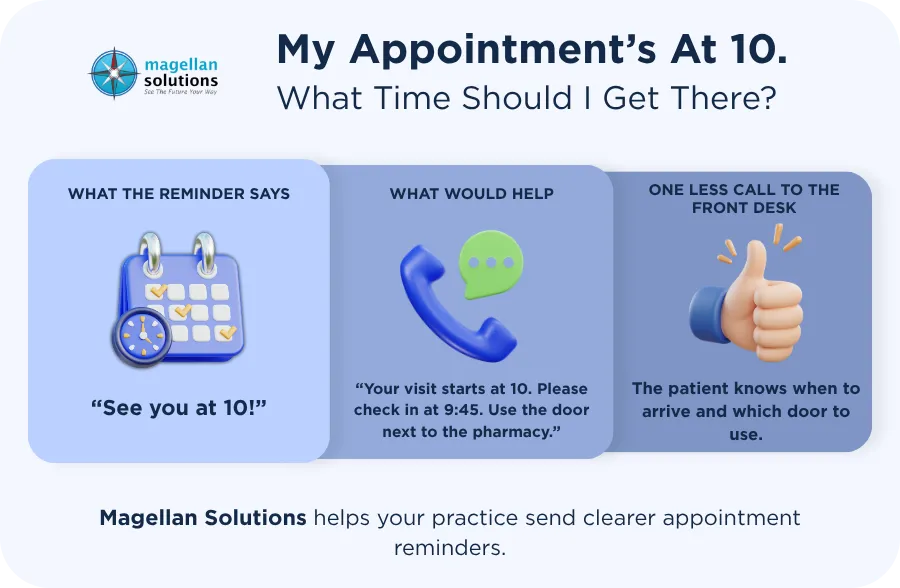
A patient can remember the appointment and still show up at the wrong entrance or arrive without the paperwork they need. For visits that require fasting or other prep, getting the instructions late can mean rebooking.
What To Change. Put the address, suite, check-in time, and paperwork instructions in one place. Add parking or entrance details if patients regularly ask for them. Share the clinical team’s approved prep instructions early and send individual medical questions to that team.
How Medical Scheduling Support Helps Your Front Desk
The work often comes in batches. A patient cancels tomorrow’s visit, someone else calls to move Friday’s, and the front desk still has a list of patients to confirm. Healthcare scheduling support can take on those confirmation calls, reschedule patients during the same conversation, and contact the waitlist when a slot opens.
If you’re weighing outside help, walk through a cancellation with the provider. Who updates the calendar? Who checks that the next patient on the waitlist can use the slot? What happens if they decline? Those answers show what your front desk can hand off and what it still needs to handle.
When You Need Help With Appointment Reminders
If your team keeps up with new bookings but falls behind on confirmations, start with pre-visit work. Medical appointment reminders include calls and texts to confirm visits, help patients reschedule under your booking rules, and follow up after missed appointments.
Where Does Your Schedule Get Stuck?
Are confirmation calls piling up, or do cancellations sit open while your front desk checks patients in? Tell us where you need scheduling help so we can talk through who would handle that step and how your team would see the changes in your calendar.
Frequently Asked Questions About Appointment No-Shows
Should every patient get a live confirmation call?
Start with visits where a conversation can solve a problem, such as a procedure that requires prep or a long appointment that’s hard to refill. For routine visits, a simple way to reply may be enough if it suits the patient’s contact preference.
Does filling a canceled slot count as preventing a no-show?
Track them separately. A no-show is a visit the patient misses without canceling. A filled cancellation tells you your team had enough notice to offer the opening and another patient could take it. Both measures help you see where the schedule is improving.
Which scheduling habit should we fix first?
Look at recent missed visits and late cancellations. Check for a pattern your team can act on, such as reminders sent to old numbers, rescheduling requests stuck in voicemail, or openings nobody offered to the waitlist. Fix the step you see most often and track what changes.
Key Takeaways
- Give patients time to act. Send reminders early enough to confirm, prepare, or change plans.
- Make changes easy. Offer a new time during the same call when your booking rules allow it.
- Give the waitlist an owner. A cancellation can become an earlier visit for another patient when someone has time to make the offer.